Week 6 of the prompt engineering course is now done – and with it, the whole course.
Over six weeks ago, I started this course to better understand Artificial Intelligence, especially how it could connect to my current college education and my future in data analytics. The first three weeks focused on the fundamentals of prompt engineering and building from there. The second three weeks taught me how to turn this into something marketable, walking me through the basics of freelancing.
And now, having learned beyond the basics of prompt engineering and explored how to transfer those to freelancing, here I am. This final week was a combination of the course so far, looking at how to take the prompts that I’ve tweaked and engineered and turn them into a freelancing portfolio. The always-consistent ChatGPT broke this down into a simple series of steps to follow as I completed the weekly assignment.
- About and Niche: A simple, two-sentence introduction to who I am and what audience I’m targeting
- Sample Prompts: Assemble three sample projects from previous weeks’ work and pick out their goals, the processes I used, the output I got, and why they work
- Client Workflow: Describe the ideal client workflow, including back-and-forth from describing their goal to the final output
- Services and Pricing: Create a pricing model for my services, based less on experience (since I don’t have any) and more on speed and quality
Because this week was a combination of everything I’ve done thus far, I was able to assemble my work for this week from my work for previous weeks. For the first section, I wrote a simple bio introducing myself based on my client-friendly description from Week 4.
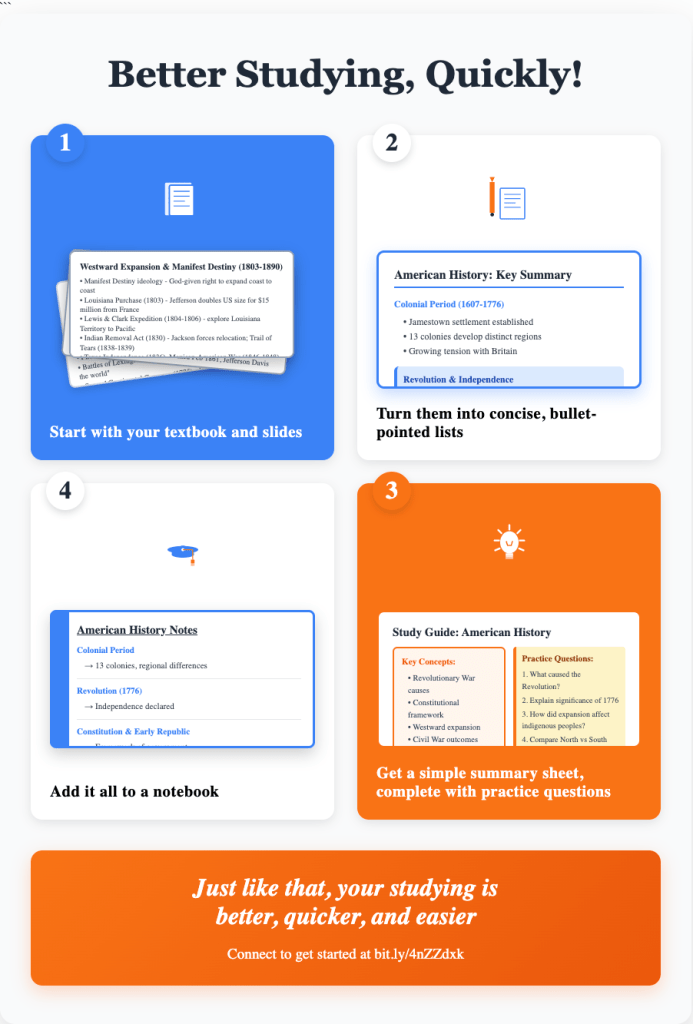
The next section, the sample products, I took three that I’ve worked on and simplified them, highlighting how they could work in various settings. I started with the student workflow process from Week 5, since this is my main product. I then revisited the infamous coffee shop pitch from Week 2, showing how a process could be used for an audience of investors. Finally, also from my practice of Week 2, I showcased how this could be used for small businesses wanting to roll out new products, highlighting the variety of types of outputs that could come from a workflow.
Following the sample products, I described a sample client workflow. It was pretty straightforward, but detailed enough so that clients and I can work closely to get the intended goal efficiently.
1. Client shares their goal – what they want to achieve and how I can help with that, getting as specific as possible
2. I design a custom prompt – using information from the client and previous examples, I design a prompt (or a series of prompts) to achieve an output
3. Client gives feedback for the output – after I review it myself, the client gives their own grading of the output
4. I refine the output – based on client’s feedback and my own personal notes, we go back and forth
5. Client and I agree on a final product – however long the feedback process takes, it ends with an agreement on a final product that excites both parties
Finally, I had to create a business model through services and pricing. After Week 4, I had created a barebones Fiverr profile to market my freelancing, with the goal of focusing on growing and updating it once this course ended. I was able to use this for my pricing.
After all of this, not just this week, but the course as a whole, where does that leave me? I think the best part of me going through this course is that, even if nothing happens from the freelancing, I learned a lot of useful skills that have already begun to help me as I interact with AI. These skills will continue to help me as a student, building on my tried-and-true study skills workflow. They will be especially valuable as I move into a professional career in a world becoming increasingly defined by generative AI and the gap between users and avoiders becomes more defined. And if the freelancing does pan out and I get to refine these skills while having an additional income source, then the benefits keep growing.
From here, I plan to refine my portfolio, further explore prompt engineering and utilizing AI, and see what freelancing could look like.
So, in short, learning through this course in the past couple of months has been helpful for multiple reasons. And for anyone who wants to go through a similar journey themselves, I would absolutely recommend it.
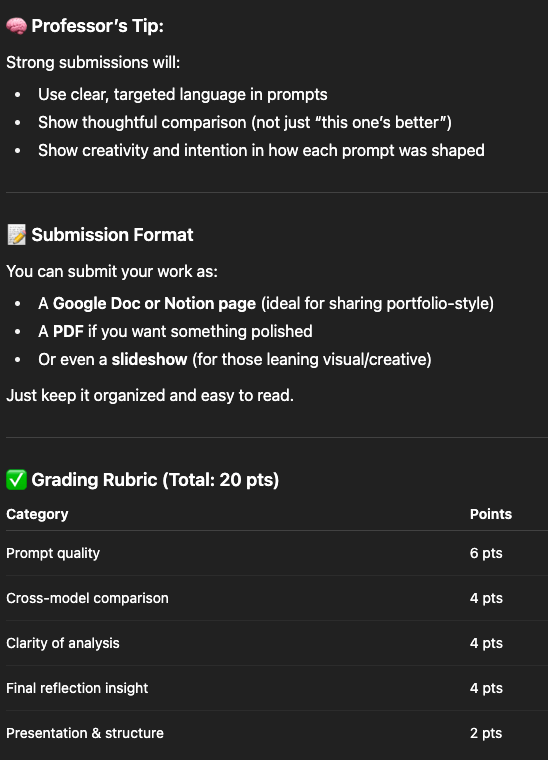
Final score: 20/20. It’s fitting that on the last week I finally earn a perfect score from the AI. ChatGPT will be getting a decent RateMyProfessor score after all.
If you want to see my full work, including the original prompts, results, and final essay, I’ve linked the Google Doc here.

 Boston Dato